Knooppunten: How the Dutch Cycling Junction Network Works
How the Dutch knooppunten network works: follow numbered junctions, plan a route from any city, and choose node mode or off-grid riding on a city break.
On this page
A knooppunt is a numbered junction where two or more cycle routes cross, and the number is the whole instruction: you ride from one node to the next in sequence rather than memorising street names. Every junction carries a sign showing the neighbouring numbers and the distance in kilometres between them, so a rider standing at the post can choose a direction without a map. This guide covers how the system works, how it spread, how to plan and carry a route, and how to build a loop that fits a one-to-four-day city break.
The network suits short trips because you can pick it up anywhere and abandon it whenever the ride has gone far enough. It is not the fastest way between two points, and it is not meant to be: the signposted line follows the pleasanter road rather than the direct one.
What a knooppunt actually is
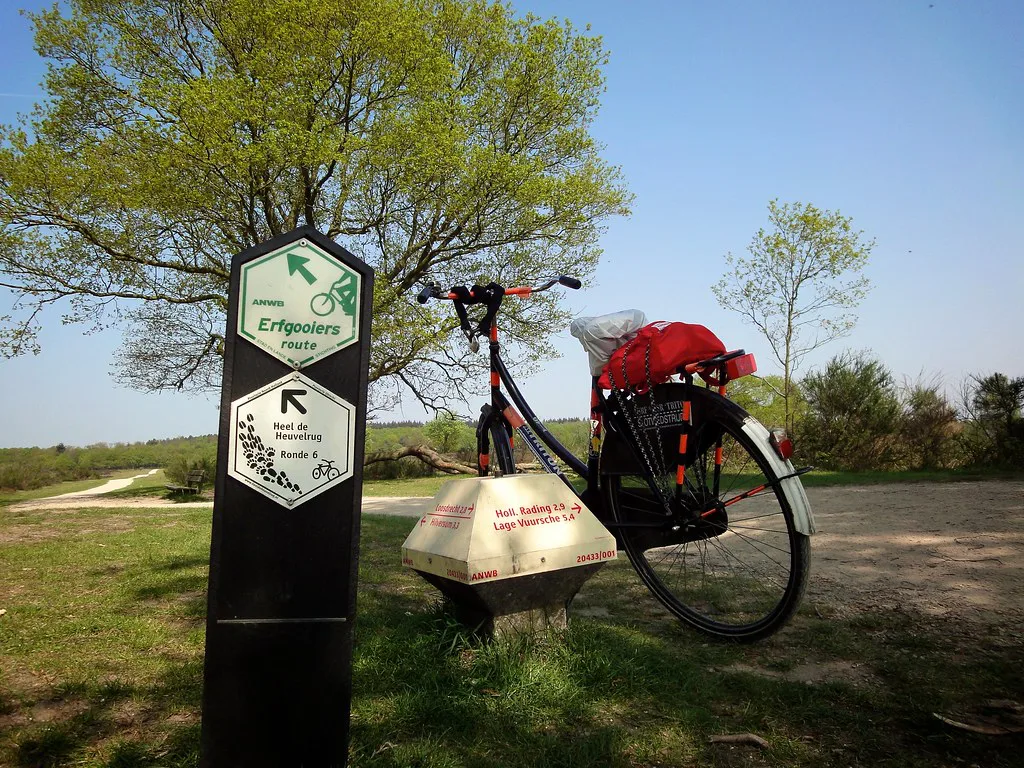
Each crossing on the network has an identification number, and the panel at that crossing shows an orientation map of the nearby nodes with the distances in kilometres between them. The sign is both a location marker and a mini route-planning tool: you look at it, pick the next number, and set off.
The system was created to make an extensive network legible in a country where village names are difficult to pronounce and even harder to remember. Giving every junction a number turns navigation into a short sequence you can hold in your head, which is why the sign, not the map, does most of the work.
How to follow the numbers
Write down your nodes in order before you leave, then ride towards the next number and only turn at the junction itself. If the sign for your next number points behind you, you have overshot and need to double back to the previous post rather than cutting across. Trust the numbers over your sense of where the city centre should be.
Can you plan a knooppunten route without a smartphone? Yes. The online planner runs in a browser and can print the list of junctions to follow, or the route spread across several overview maps, so the plan survives on paper.
Can you get a knooppunten planner to suggest a route length? Yes. Fietsknooppunt.be's Surprise Me option builds a route from a chosen distance and direction, accepting lengths between 20 and 150 kilometres.
How do you move a planned route onto your phone? Fietsknooppunt.be turns a planned route into a route code or a QR code that you enter or scan in its app to bring the route across. You can also share the route as a link.
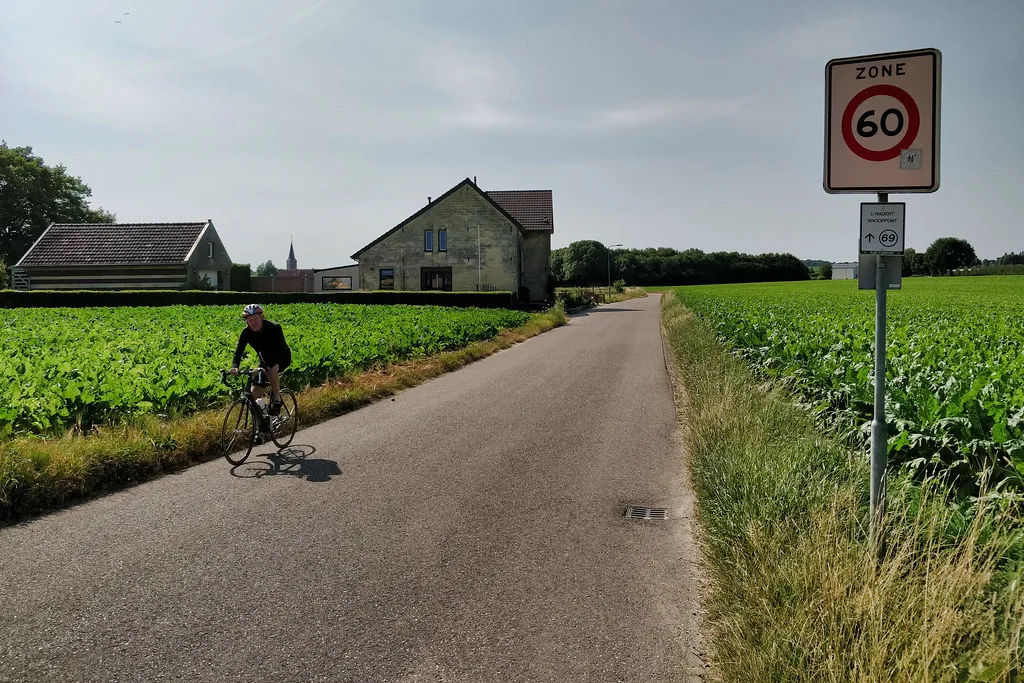
Signage is in the form of numbered junction posts and route boards rather than turn-by-turn English instructions. Treat the numbers as the language: a rider who cannot read Dutch can still follow a sequence of digits and distances. Carry the sequence on paper as well as in an app, because a junction panel tells you where you are but not the whole route you planned.
The first numbered junction network was created in 1995 in Belgian Limburg by Hugo Bollen, and the first Dutch sign appeared in 1999 in the Dutch border region. The Netherlands was covered nationally by 2014, and the numbered system is now standard across the country and Flanders. That history explains the density: this is a nationwide grid, not a handful of leisure loops.
Planning a route before you go
The junction planner at Fietsknooppunt.be lets you plan routes along the numbered network in Belgium, the Netherlands, France and Germany, with settings for the base map and layers for the junctions themselves. You can also switch on flexible planning so the planner routes between junctions as well as at them, which helps when your start point sits mid-block rather than on a node. Log in before you start if you want to download or save the finished route.
If you want the planner to suggest a distance rather than a destination, its Surprise Me option takes a length between 20 and 150 kilometres and a direction, and builds a route from there. That range belongs to the suggestion tool, not to the network. For a city break, use it with a modest figure and let it propose a loop you would not have picked yourself.
Knooppunten.nl runs a comparable online planner for cycling and walking routes in the Netherlands, Belgium and Germany, and points riders to the Fietsknoop app for using routes on a phone. Having two planners is useful rather than confusing: if one returns an awkward sequence, the other often gives a tidier one. If you want an overview of riding in the country first, see cycling in the Netherlands.
Node mode versus off-grid riding
The planner runs in two modes, and the choice is the most useful decision you will make. In junction mode it only routes you along the numbered network; in off-grid mode it connects arbitrary points, either automatically or by hand, so you can link a station or a museum that sits away from a node. You can switch between the two mid-plan for a route that partly follows numbers and partly takes the direct line.
Stay on the network when you want signposts to do the work and you are happy to accept a slightly longer line. Go off-grid for the first and last kilometre, when the alternative is riding in circles looking for a node that is not there. Off-grid sections are planned but not signposted, so you are navigating again and the junction posts will not help.
Once the route is planned, the practical questions shift to the bike under you and the rules of the path. The cycling rules Netherlands page sets out how paths, lights and priority work.
Carrying the route: codes, GPX and paper
The planner can share a route two ways: a route code the recipient types into the website or app, or a route link that opens the route directly. It also exports GPX for a navigation device and prints either the list of nodes to follow or the route spread across a chosen number of overview maps. Printing node strips is the least glamorous option and the most reliable, because paper does not lose charge at the far end of a loop.
The app route is worth having as well, since the planner's QR code and route code move a planned route onto a phone. Set the route up before you leave the accommodation, when you have wifi and a flat surface. If public transport is how you reach the start, our OV-fiets guide explains the bike-hire side of the Dutch rail system.
How knooppunten fit the other signed routes
The numbered network sits alongside LF long-distance routes, which link cities and regions over multi-day tours and are often sections of cross-border routes with neighbouring countries. Themed day routes, often 30 to 50 kilometres and named for a painter, a landscape or a period of history, form a third layer marked by their own hexagonal signs. Junction routes are the capillary layer beneath both: they reach the smaller places the long-distance lines pass by.
The trade-off is straightforward. If you want a named itinerary with a theme and a printed description, follow an LF or themed route. If you want to reach a village, a windmill or a particular street that no named route passes, build your own sequence of nodes instead.
Building a half-day loop from a city
For a one-to-four-day break, the right shape is a morning loop that leaves the city, reaches open country and returns before lunch. Pick a node on the edge of town, plan outward to a handful of junctions and back by a different sequence so the return is not a repeat. A loop of roughly 25 to 40 kilometres is a comfortable half-day at touring pace with stops; the planner will happily build something longer if you ask it to.
Use the numbers to control the effort rather than the scenery: choose a sequence that heads away from the built-up edge, then close the loop through a different set of junctions. An off-grid link at each end gets you from your accommodation to the first node without a detour. If cycling is the backbone of your trip rather than a single morning, start from our cycling in the Netherlands guide and pick the city that suits the riding you want.
Which loop will you plan first?
Decide the shape before you open the planner: a half-day loop from the city edge, with a different sequence out and back, is the version that fits a short break. Then choose junction mode for the middle of the ride and off-grid only for the links at each end, print the node strip, and move the route to your phone while you still have wifi.
The network rewards a little preparation and almost no equipment beyond a bike and a note of the numbers. Pick your first junction, write the sequence down, and let the signs do the rest. For the practical details, see the bike rental Netherlands.
Frequently Asked Questions
Can you plan a knooppunten route without a smartphone?
Yes. The online planner runs in a browser and can print the list of junctions to follow, or the route spread across several overview maps, so the plan survives on paper. Printing the node strip is the simplest option, and it does not run out of battery. Take a paper copy even if you also load the route into the app.
Can you get a knooppunten planner to suggest a route length?
Yes. Fietsknooppunt.be's Surprise Me option builds a route from a chosen distance and direction, accepting lengths between 20 and 150 kilometres. That range applies to the suggestion tool, not to the network itself. For a short city break, enter a modest figure and let it propose a loop you would not have picked yourself.
How do you move a planned route onto your phone?
Fietsknooppunt.be turns a planned route into a route code or a QR code that you enter or scan in its app to bring the route across. You can also share the route as a link. Set this up while you still have wifi and a flat surface, then keep a printed node strip as backup.
Sources
Notes for your next Dutch city break
Optional updates to our Netherlands guides.
You might also like
Continue reading
More guides you'll find useful